Keep Your Artwork in One Place
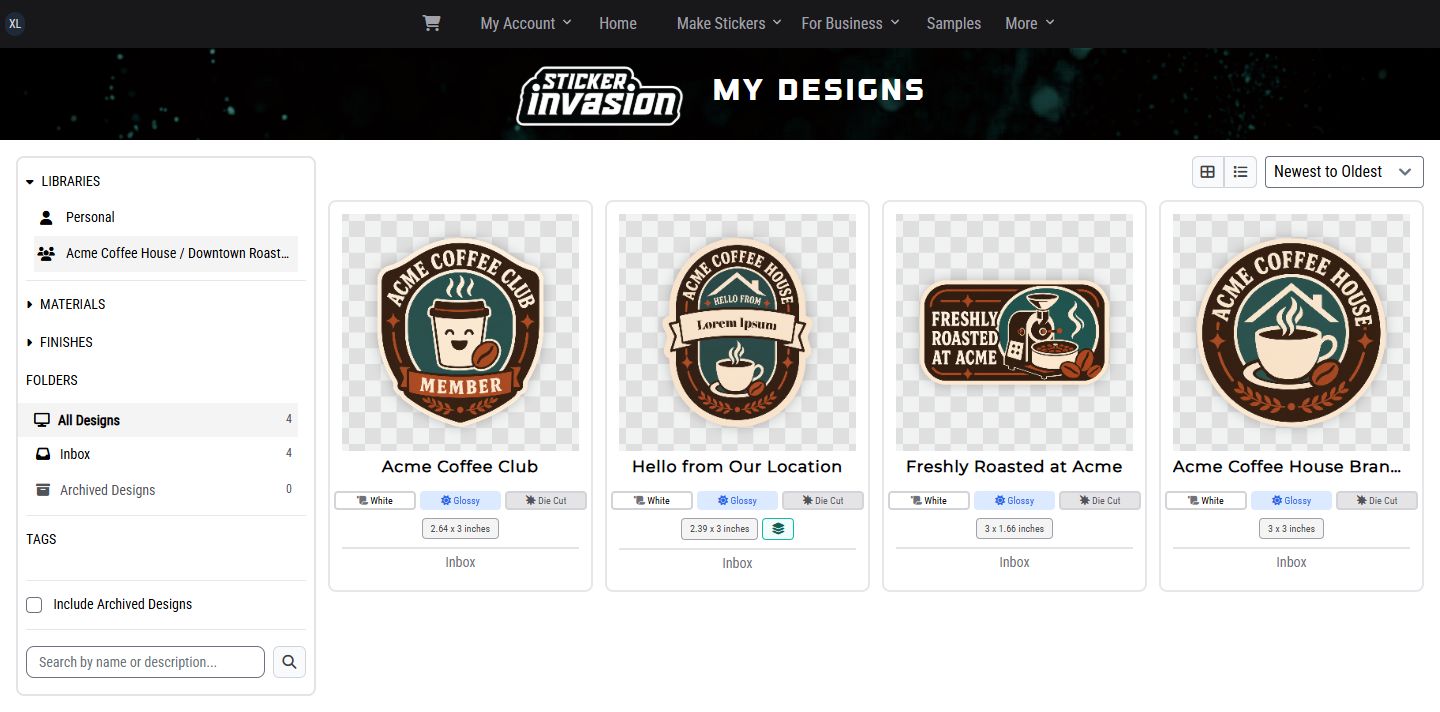
Your Personal library brings your saved sticker and label designs together in your account. Come back to the same artwork whenever you need it.
 Design Library
For Every Sticker Invasion Customer
Keep your sticker and label artwork organized, find the designs you love, and order them again without starting from scratch. Reuse approved artwork or ask us to prepare a template for your next project.
Your Personal design library is available with your Sticker Invasion account. No Teams membership is required.
 Acme Organization Example
View Full Size
Acme Organization Example
View Full Size
Your Artwork, Organized
Approved Artwork
Reusable Templates
Easier Repeat Orders
Less Chasing Files. More Getting Things Done.
Whether you order for yourself, a side project, or a business, your library keeps useful designs ready for whatever comes next.
Your Personal library brings your saved sticker and label designs together in your account. Come back to the same artwork whenever you need it.
Search names and descriptions, organize artwork into folders, add tags, and filter by material or finish. Spend less time tracking down files in old emails.
Keep the artwork with its product, size, material, and finish. Order the established design again without rebuilding the product specification.
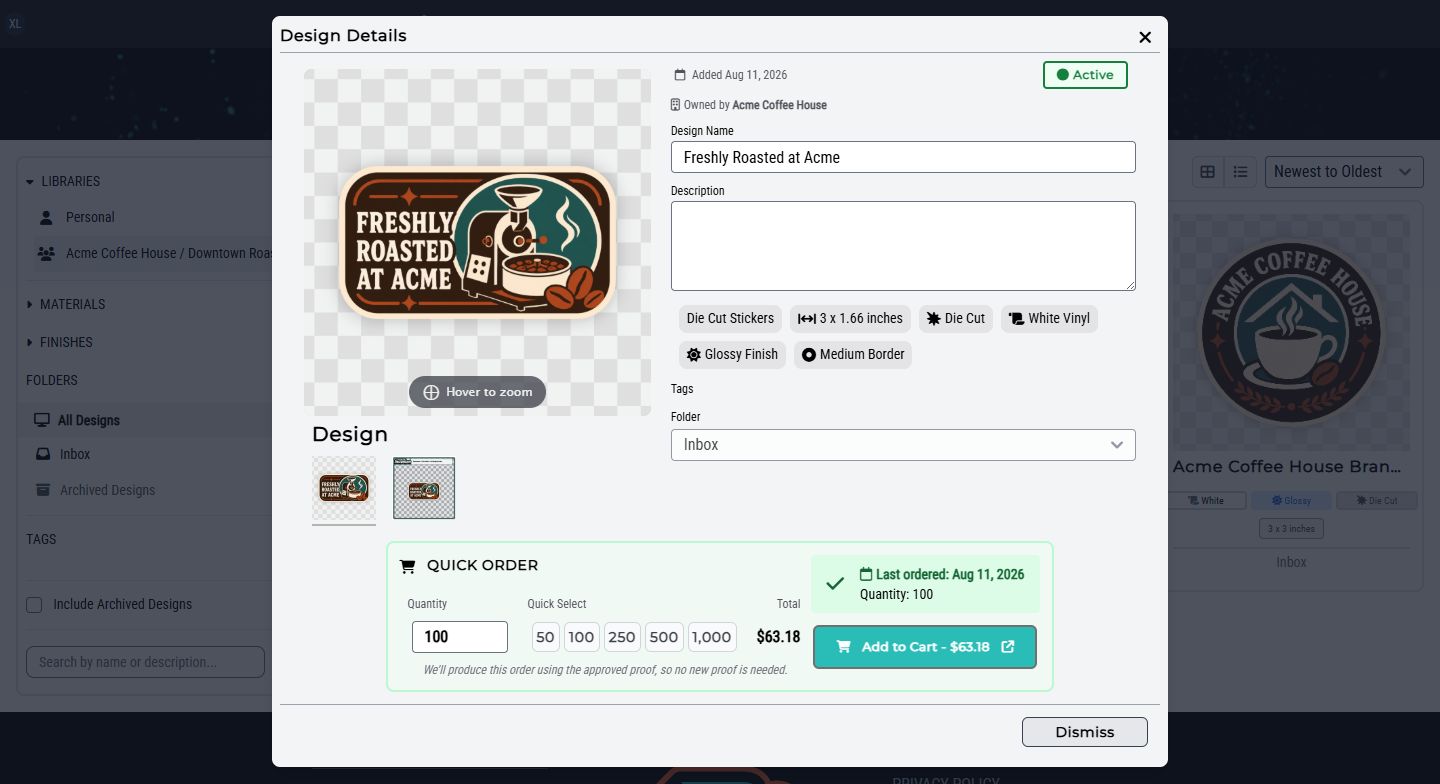
Open an approved standard design and use Quick Order to choose a quantity. Reuse the current approved proof without another artwork upload.
Request a template with fields for a name, message, event, or other detail. Once it is ready, reuse the prepared layout with different values for your next project.
Archive retired artwork and restore it when needed. Update names, descriptions, folders, and tags without replacing approved artwork or removing historical orders.
Ready for the Next Order
Open an approved standard design, choose your quantity, and add it to your cart. Restock your favorite stickers or labels without uploading the artwork again.
 Acme Organization Example
View Full Size
Acme Organization Example
View Full Size
What Is a Templated Design?
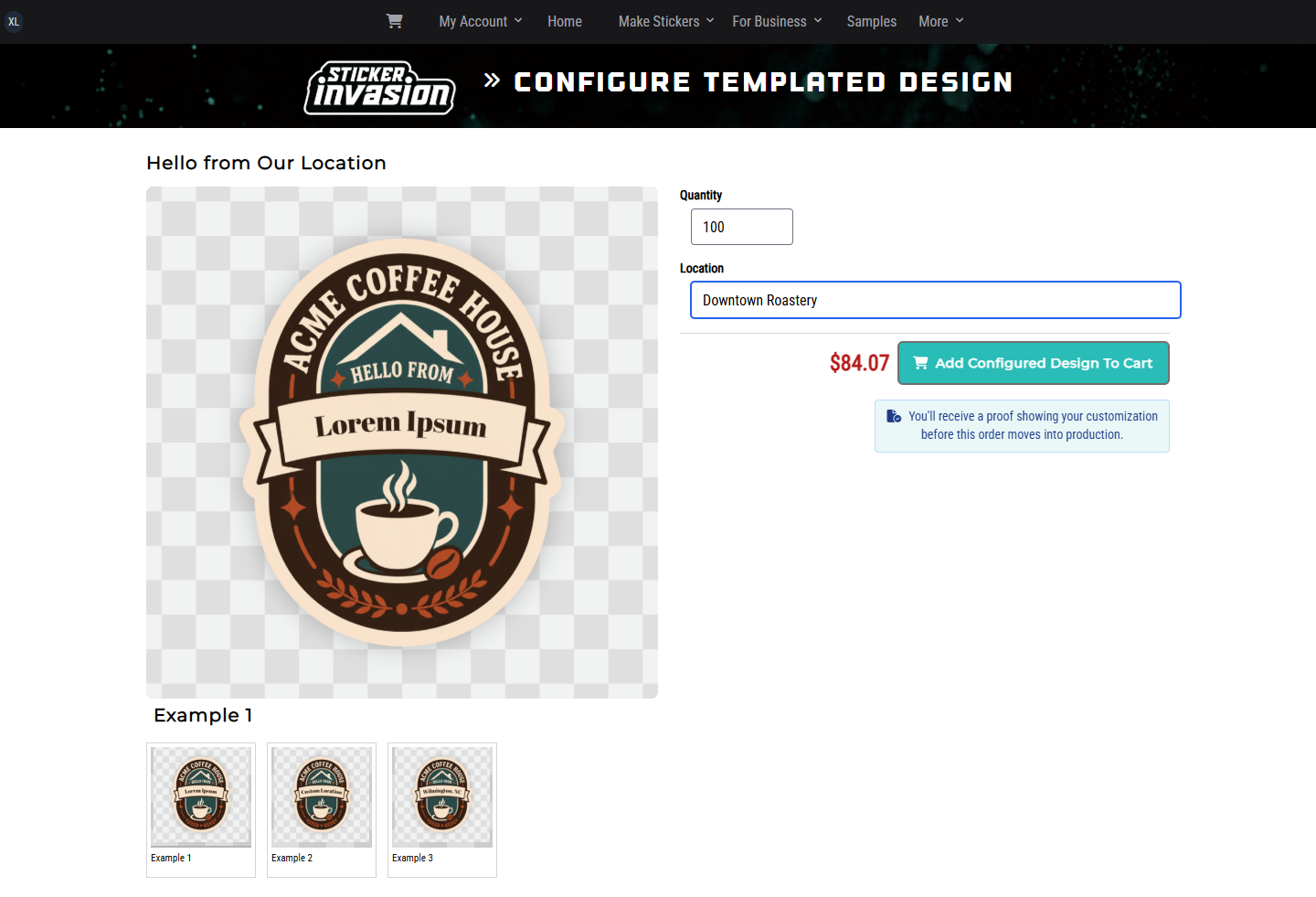
A templated design lets you reuse one layout and change only selected details, such as names, locations, messages, images, or codes. Your logo, colors, and other fixed artwork stay consistent.
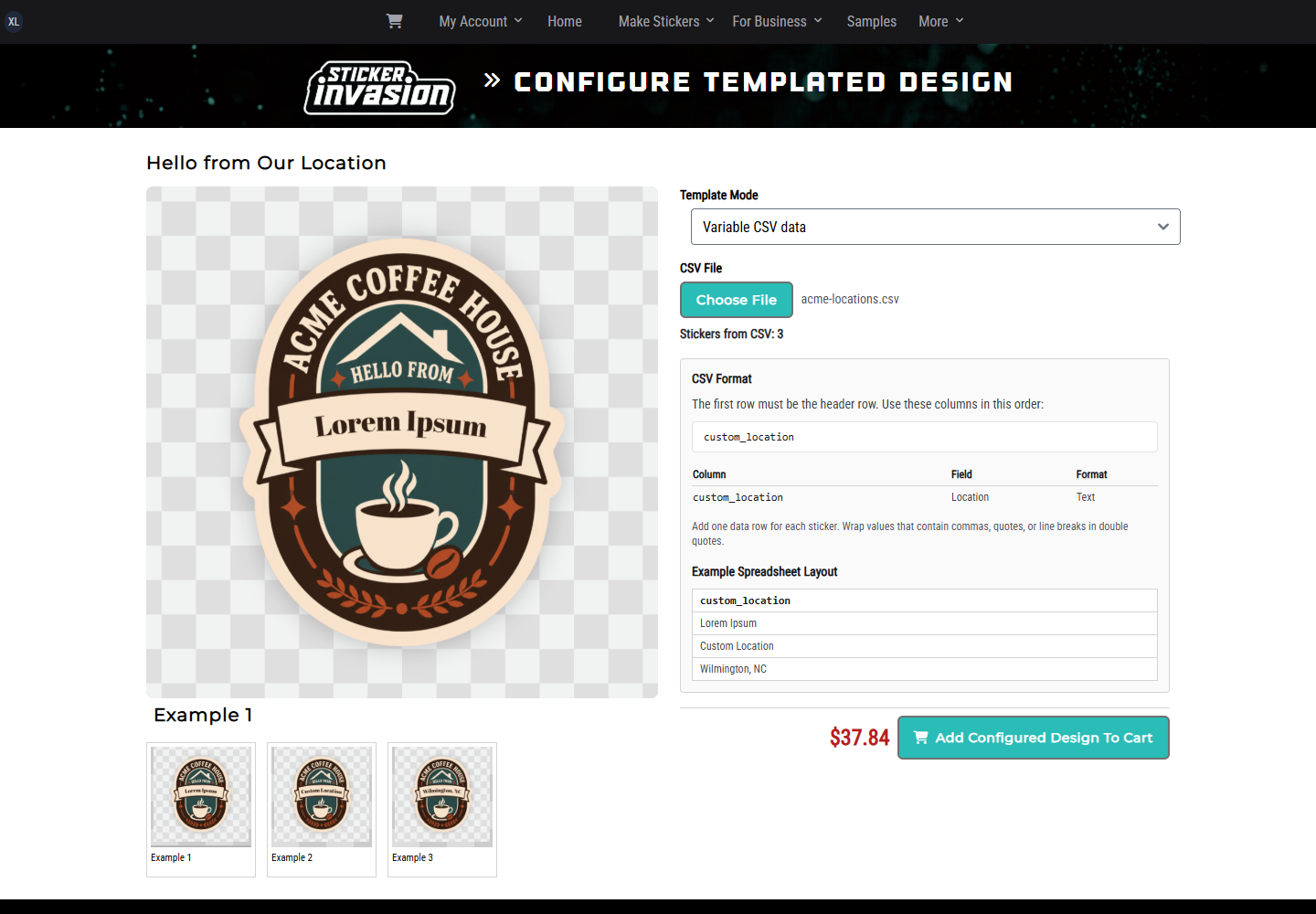
For example: Acme Coffee House reuses one sticker for several locations by entering a different location name for each order.
Templated Designs Are Currently Available Upon Request.
Send support your artwork or idea and the details you want to customize. We can help prepare a template for you to reuse from your design library.
Request a Templated DesignEnter the values once and choose how many copies you need. Make a version for an event, product, or location without rebuilding the master design.
 Acme Organization Example
View Full Size
Acme Organization Example
View Full Size
For templates with variable data enabled, upload one row per variation. Reuse the layout for names, locations, serial numbers, URLs, barcodes, or QR codes supported by its fields.
 Acme Organization Example
View Full Size
Acme Organization Example
View Full Size
Additional Features With Teams
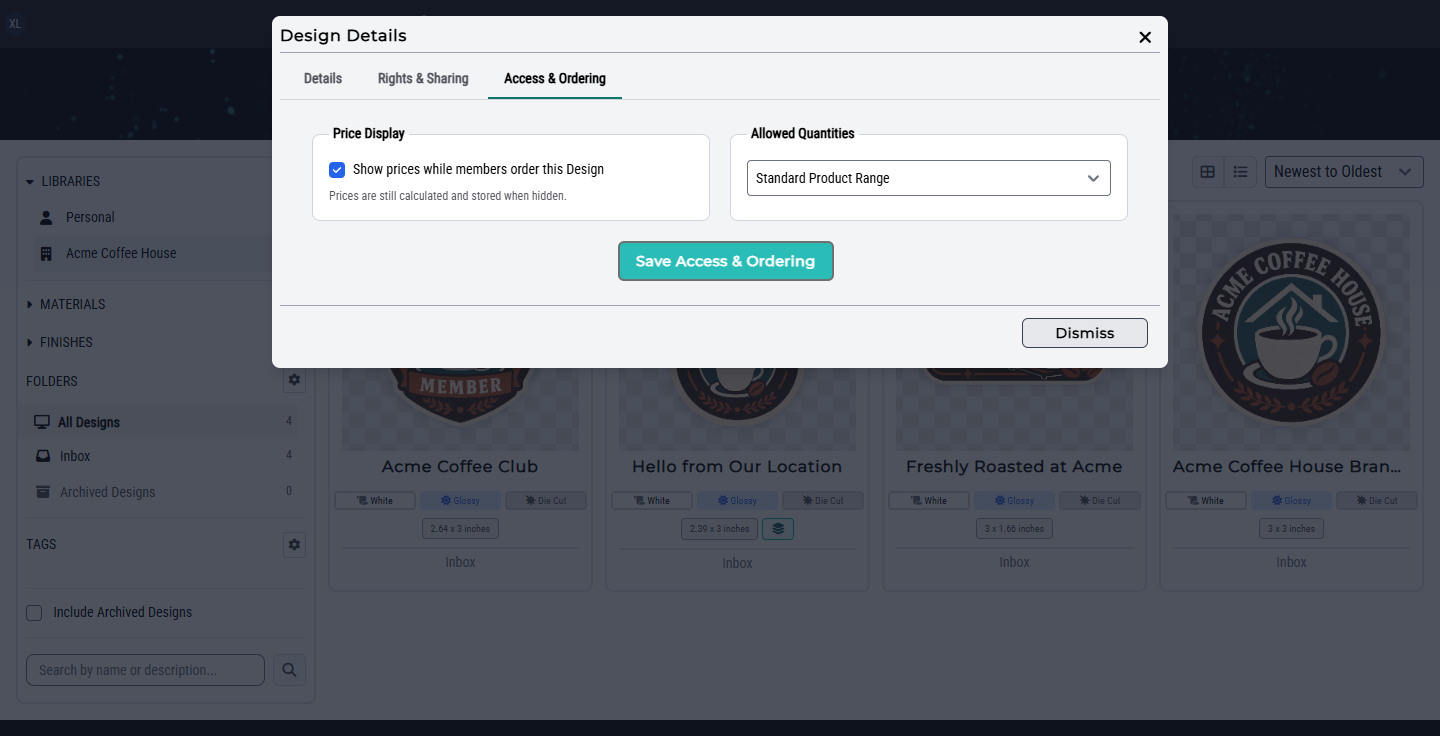
Within an Organization, the design library is shared. Company-owned artwork stays together so authorized members can find and order it, while your Personal library stays separate.
Additional permissions let you fine-tune who can access each design and what they can do with it.
 Acme Organization Example
View Full Size
Acme Organization Example
View Full Size
For Organizations Using Teams
Create designs directly for your Organization, or submit an approved Personal design for publication review. Approval creates an Organization-owned copy while preserving the Personal original.
Review the exact artwork version before it becomes orderable. Where licensing features are enabled, keep design rights and required outside artwork approvals with the version they cover.
Authorized members can use Organization reports to review design usage and Team orders by Group or member. Historical order records stay available when your library changes.
No. Every Sticker Invasion customer can use a Personal design library to save, organize, and reorder designs. Sign in to your account and open My Designs. Teams adds shared Organization libraries and permissions for managing access.
Templated designs are currently available upon request. Use the Request a Templated Design link above to contact support with your artwork or idea and the fields you want to customize. You do not need an Organization library to request one.
No. Bring any artwork or ideas you have and tell us what the sticker or label needs to do. Our professional designers can help create artwork, prepare it for proofing, and build reusable templates.
Standard Quick Orders reuse the exact current approved proof. A single customized bulk order receives its own proof before production. Variable-data CSV orders proceed without a new proof, so check all rows and field values before placing the order.
Yes. Authorized managers can share Organization designs with the entire Organization or selected Groups. Organization-wide design managers and other authorized review roles retain the access they need.
Yes. Start with the stickers or labels you order most often and add more designs as you need them. If you later need a shared Organization library, Teams adds that option without replacing your Personal library.
For Organizations That Need Shared Access
Your Personal library is ready to use in My Designs. If you also need to share artwork across an Organization, request Teams access and tell us who needs to view, manage, and order your designs.